INTERACTING TWO MATLAB GUIS PROGRAMATICALLY
1. Develop GUI
read more...
I've been wanting to create a background slideshow on my Ubuntu desktop. But, I don't know how. When I check on one of the default slideshow background available --the 'cosmos--, I found that there's an xml file within that folder which control the slideshow.
When I opened the file, "Wow!", I was surprised. I couldn't edit or copy that file to make my own slideshow, it was too complex especially because I wanted to add many image for my background slideshow.
So, I look over to internet and ask good-ol'-uncle Google. I found several ways to do that from several websites--mostly from Ubuntu Forum.
There's the resume I gathered from those websites.
The Repository
The first one is of course to search into the repository. There are several application for this, I haven't got the chance to test them all. Also, some of the application recommended by forum members are there anymore. I could name a few: drapes, gbackground, wallpaper, and wally. I installed gbackground though, it works great. I'll make a review on gbackground if I have the time.
Manual Script
This one is actually an executable code provided by some generous Linux user out there. I have looked on to some and mostly coded in Python. For example, the one provided by Meithan.
PPA Repository
There are lots of application for Ubuntu distribution in which not supported officially by Ubuntu or put into Ubuntu's official repository by individual Ubuntu users and/or its community. One application that very good for creating background slideshow is Create Background Slideshow a.k.a. CreBS (hence, the name ^^). You can get a nice explanation on installing this application here.
Independent 'Contributor'
And last but not least, there are some --which I'd call-- independent application made by serious programmer which contribute to the community. One of them is Wallpapoz. It's a good application with a nice user-friendly graphical interface. Check this site for the installation guide.
And that's a wrap! That's all, folks.
Have it a try and enjoy your slideshow desktop background ^^
I got this task from my friend. She needs the image for her journal publication, but the committee want a more 'clear' picture instead of the actual picture taken from her lab's machine (dunno the name, she's studying some chemical thing).
At the end I agree to help, but I didn't promise I could clean it up because the background seem very mesh-up! With gradation of color there and here, it looks very hard to clean.
Well, after several trial I finally able to clean it. In case I would forget how to do it, here are the documentation.
1) Open the picture in Photoshop; here is the original
"Ha", that was the word I said after registering myself to social networking website, Twitter. The http://twitter.com/abqoriaula .
But what took me so long?
Yeah, I wonder too. Maybe because I was busy with the other social networking website. or maybe because I am busy with my course and another ad-hoc activity.
Well, I can't blame myself for that, I am a student anyway. And I am also a man, so I need to make some money to pay my tuition fee :D
Anyway, the reason I registered to twitter was because yesterday night I stumbled upon a twitter account in which the user used my mostly-everywhere-preferred-nickname 'abqorian'. So I decided to take it over. No, not take it over from him, but trying to make sure that I am the only abqorian, hehehehe.
But, also because of that I decided to make a blog out of my blog.com account. Just to make sure that nobody will use the nickname.
Well, I guess that's all the update about my activity.
The other thing I've been doing was preparing a one hour presentation for my Advanced Robotics class. It will be about the application I am using right now for my research, Player/Stage.
The other, other thing that I've been doing was developing a website for a group of students in my university. It was a very important, since it would be the first website I designed that goes public, :p
Yes, I have been developing websites for myself. It was part of learning process. But, now I am more than ready to go public.
OK, that would be all for today. I must finish my presentation first. Keep upm with my update.
Yesterday, during Advanced Robotic class, we the students had to present our research title in front of the class. For your information, all students are taking Master and Ph.D. degree.
And as most of you may have noticed from the title of the course, most students were presenting their robotic related research. But, there was one student with a different field of research. The IoT, a.k.a. Internet of Things.
It was the first time I ever heard of this field of research. He said it was a new trend in todays all-web-related technology. So, he presented his slides. He tried to tell us what is this IoT thing.
He started his presentation with a very confident face. Founded and being researched by MIT, he explained to us the definition of IoT, which is some thing like "everything goes internet". We make every thing in our real life to have ID for its internet identification. And he meant everything! Every single thing! While wikipedia defines IoT as networks of everything. Kinda funny but obviously an interesting idea.
In his slides, he stated the main problem to implement this kind of thing. It involves many line of disciplines, such as wave technology, in this case he mentioned RFID. Also the hardware part, which can be an AVR module or ARDUINO starter kit or something else. He defined the state he currently in, which was to study further about this Internet of Things thing. And he said, it might takes him one whole semester, since it involves many areas of research.
The fact is, it was a very interesting idea to me. Today, after a meeting with our lab's director, he even told me he wanted to put this IoT thing onto my honeybee research. He wanted to make the bees goes internet! "WOW", I said. That surprised me. But yeah, why not.
Using this technology, it will allow us to see a 3D version of honeybees' life. A 3D version of their world. To monitor their activity and at the end it will ease us to study more about their behavior.
I can only say one thing, "Good luck, Hamid! Thank you for sharing your idea".
Installing Player/Stage on a computer with OpenSuSE was the easiest and funnest installation I've ever done. Why?
Because by default, many of Player/Stage dependency packages are already installed by OpenSuSE. So you don't have to install a new ones. And to be honest, personally I still think OpenSuSE installation manager is the best and the easiest installation manager ever compared to others. Note: I was using OpenSuSE 10.3 when writing this post.
Anyway, how to install Player/Stage on OpenSuSE, then?
Well, let's first check the dependency packages required by OpenSuSE. For the general requirement, read this post.
The dependencies available by-default are:
cd ~/player-<version>
make uninstall
make clean
./configure --prefix=/home/$USER/playerstage
makeNext step is to add these lines into /etc/ld.so.conf.
make install
export PATH=$PATH:/home/$USER/playerstage/bin/
export PKG_CONFIG_PATH=$PKG_CONFIG_PATH:/home/$USER/playerstage/lib/pkgconfig
export PLAYERPATH=$PLAYERPATH:/home/$USER/playerstage/share/stage/worlds:/home/$USER/playerstage/lib/
export LD_LIBRARY_PATH="$LD_LIBRARY_PATH:/home/$USER/playerstage/include:/home/$USER/playerstage/lib:/home/$USER/playerstage/share/player/examples/plugins/logplugin
/home/$USER/playerstage/lib/Then, test the installation using pkg-config:
/usr/local/lib
pkg-config --libs playercoreThat would be all.
pkg-config --cflags playercore
player ~/playerstage/share/stage/worlds/simple.cfg &
cd ~/stage-<version>
make uninstall
make clean
./configure --prefix=/home/$USER/playerstage
sudo make
sudo make install
pkg-config --libs stage
pkg-config --cflags stage
It's been a while since my last post. This time I'd like to share my experience about installing Player/Stage on PCLinuxOS. So, how to install Player/Stage on PCLinuxOS?
First of all, some of you might wondering what Player/Stage is. Player/Stage is a software released under GNU GPL license to support development in robotic research. It was from a project formerly known as Player Project founded by Brian Gerkey, Richard Vaughan and Andrew Howard.
For more information about Player/Stage, visit its project website at SourceForge. If you are installing Player/Stage on OpenSuSE go to this post. Let's get to the main topic, "How to install Player/Stage on PCLinuxOS?"
The first thing you need to do is to install the dependencies for Player/Stage. To do this, make sure you already have the latest link on your repositories and you are connected to internet. Click here to read on how to update your repository on PCLinuxOS.
After updating your repository, type these words on Synaptic's search box. These packages are compulsory for installing Player/Stage. fortran, libconfig, libtool, pkg-config, gtk, sed, cmake, geos, statgrab, swig, gnomecanvas, imagemagick, glut, libltdl and gsl.
For a more general packages for solving dependency issue before installing Player/Stage, read my post about General Requirement for Player/Stage.
After installing those dependency packages, you'll have to install Player first before installing Stage. Although Player was available in PCLinuxOS repository, from my experience it's best to build the application from source.
Installing Player
If you decide to install Player from the repository, you'll get difficulty to run the code you made. I still don't know why, but I guess it has something to do with the library linkages.
If you build Player from the source, you could define the library linkages and the directory to which Player will be installed. By the way, PCLinuxOS didn't provide Stage in its repository.
To install Player, it's best to switch to superuser account. Since by default, player will be installed in /usr/local/. Although it's not really necessary. The first step is to download the source and extract it to your local directory (I'll assume you know how to extract an archive in Linux). Note that this guide uses Player version 2.1.2 although the latest version available on its website is 3.0.0. And instead of installing it in the default location, it'll be installed in user directory (/home/$USER/playerstage).
cd ~/player-<version>In my case, I put extra options. I enabled lasertoranger and sonartoranger and disabled vec2map. Hence, my code becomes:
make uninstall
make clean
./configure --prefix=/home/$USER/playerstage
/configure --prefix=/home/$USER/playerstage --enable-lasertoranger --enable-sonartoranger --disable-vec2mapThe next step is to add the Player's executables and libraries path to system path. Type these lines in terminal (or konsole):
make
make install
export PATH=$PATH:/home/$USER/playerstage/bin/Or you can manually add them to the your local profile file by editing these files: .bashrc or .bash_profile.
export PKG_CONFIG_PATH=$PKG_CONFIG_PATH:/home/$USER/playerstage/lib/pkgconfig
export PLAYERPATH=$PLAYERPATH:/home/$USER/playerstage/share/stage/worlds:/home/$USER/playerstage/lib/
export LD_LIBRARY_PATH="$LD_LIBRARY_PATH:/home/$USER/playerstage/include:/home/$USER/playerstage/lib:/home/$USER/playerstage/share/player/examples/plugins/logplugin
/home/$USER/playerstage/lib/The last step is to test this installation configuration by typing this line in terminal.
/usr/local/lib
pkg-config --libs playercoreIt should return something like this, (might be different depending on your machine)
-L/home/$USER/playerstage/lib -lplayercore -lltdl -lpthread -lplayererrorAnd this line again:
pkg-config --cflags playercoreAgain, it should return something like this, (might also be different)
-I/home/$USER/playerstage/include/player-2.1If your machine return something like those, then you could try to run the application:
player ~/playerstage/share/stage/worlds/simple.cfg &If it run well, then the installation is complete.
cd ~/stage-<version>I summarized all steps above and upload it to my Google Docs, you can read the file too. If you notice that there is the word "OpenCV" in that file, just ignore it if you don't need to install it.
make uninstall
make clean
./configure --prefix=/home/$USER/playerstage
sudo make
sudo make install
pkg-config --libs stage
pkg-config --cflags stage
It's been quite easy and simple to add an application onto Linux distribution these days. Since most of Linux distribution has what they call repository to provide support for its distribution. It's even more easier with the graphical package manager included in its distribution.
Some of them even have mirrored their repository to local website on certain region. And some of them provide a limited repository during their distribution release in a form of DVD or extra CD companion.
In this post, I'd like to share my experience on updating repository in PCLinuxOS. Let's get started step-by-step.
There are always several packages required before installing an application on Linux operating system or at least, one. Since an application in Linux environment almost always never embed the dependency packages required upon its release. Take for example, installing Player/Stage. Visit this website for more information about Player/Stage.
Depending on the distribution, each Linux distribution require different packages installed before installing the same application.
I've been wandering the internet to solve the dependency issues while installing Player/Stage on my Linux machine. I've tried installing in onto Mandriva 2008 and 2009, OpenSuSE 9.3 and 10.0, and lastly onto PCLinuxOS.
I couldn't install Player/Stage on Ubuntu, since my machine cannot boot Debian-based Linux distribution. Although, most of the information available on the internet are about installing Player/Stage on Ubuntu.
Hence, I thought I need to write a more general information regarding requirements before installing Player/Stage, regardless of the distribution.
Once again, depending on your distribution, the name of the packages might differ.
gcc42-fortran, gcc-fortran, libgfortran42 (or g77 or any fortran compiler)
gcc, g++
opencv
libusb, -devel
libconfig (install the most recent version)
imagemagick, -devel, (or libmagick10, libmagick++10, libmagick10-devel)
libopenssl, -devel, openssl, -certs
libjpeg, -devel, libpng, -devel, libjasper, -devel, zlib, -devel, libtiff, -devel
libdc1394, -devel, libraw1394, -devel
sed
gsl
libtool (or libltdl3, -devel)
boost, -devel (might be one of these:
libboost-dev
libboost-thread1.33.1
libboost-thread-dev
libboost-signals1.33.1
libboost-signals-dev)
swig
gawk
pkg-config
python
gtk, gtk2, -devel and gdk (the gtk is a must before installing stage)
freeglut, -devel (this is the OpenGL library)
cmake
fltk, -devel
geos or libgeos
statgrab
gnomecanvas (or libgnomecanvas)
xmms-config
gtk, -devel, (or gtk+2, -devel, gtk2, -devel)
howl
ffmpeg
ode (this package is a must before installing gazebo)
Have you try to google your name? Wha..., google my name!?
I google my web-name (I don't think pen name is correct for internet) today and I returned a lots of result. More than 1000 entries! Yay! For someone like me, that's a lot.

How to add unique meta tag to each of your blogger post.
I've been googling around this topic for a while and I found a lot of tips. Some of them you can read on:
<b:include data='blog' name='all-head-content'/>
<meta content='SHORT DESCRIPTION' name='description'/>
<meta content='COMMA-SEPARATED-WORDS' name='keywords'/>
<meta content='YOUR-NAME' name='author'/>
<b:if cond='data:blog.pageType == "item"'>
<meta expr:content='data:blog.pageName' name='Description'/>
</b:if>
<b:if cond='data:blog.url == "http//www.abqorian.co.cc/"'>
<title><data:blog.pageTitle/></title></b:if>
<b:if cond='data:blog.pageType == "item"'>
<title><data:blog.pageName/> | YOURSITENAME</title>
</b:if>
Only in count of years, not century, the Islam since Rasulullah to Khaliph Utsman bin Affan have spread supremely. Not only its tauhid (Oneness/Monotheism) taught, but also on its claimed territory.
A Moslem scientist, Prof. Hamidullah has studied about this case in his research titled al Watha’iq as Siyahsiyya, tracked it very detail. In Rasulullah’s era, until 11 years after hijrah (moving to Medina), Islam has claimed not less then 1 million squared-mile. Whereas Khaliph Abu Bakar, which has ruled from year 11th to 13th Hijry, made an extra 200.000 squared-mile expansion. A very booming expansion happened in time of Khaliph Umar bin Khattab which expanded 1.500.000 squared-mile wide. Meanwhile, in Khaliph Utsman bin Affan’s era, the claimed territory about 800.000 squared-mile.
Without means to compare to other sahabat, Umar bin Khattab has done an outrageous expansion, in politic or akidah (religious creed). Because of this immensely oversize territory he gained , this khaliph stopped his expansion.
History recorded, that when the power was just so rising, but Umar bin Khattab just so afraid. Not afraid of loosing his power but afraid of Allah which then will ask responsibility of every human. One day, Umar bin Khattab said to himself, “I was so scared. This land was so huge. And the thing I scared is the responsibility that I couldn’t give. How about if there is a camel lost in this land, hungry and then die. Surely, I will be asked for answer in later day”, as Umar mention the responsibility to himself.
Umar bin Khattab has given a very valuable lesson to history. He was not only ‘feeling able to’ but also ‘able to feel’ sometimes. A lots of us also ‘feeling able to’. In some point, of course it can give us a positive strength to produce a work, an advantage for human being. But in many cases, especially in history of man power, feeling able has brought a so destructive disaster. Not only the destruction of the rulers, but also to the ruled ones.
When ‘feeling able’ has dominated, the sense and the ability to feel will become blunt. And when the sense and the ability to feel has blunt, big responsibility has crushed. Instead of advantage, detriment will produced. Three main combination always needed by the ‘big man’. Which are the ability to hear, the ability to view future vision, and the ability to sense the signs. A sense, that keep heart and soul live and always whisper goodness, and truth. And we, must take those three as provision.
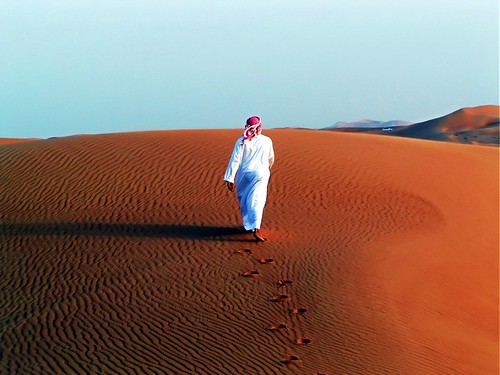
Image taken from Flickr through Google Image